HD Live Wallpaper Launcher
- 3.8
- Rating
- 50.00K
- Installs
- Free
- Price
 Analysis by App-foxy
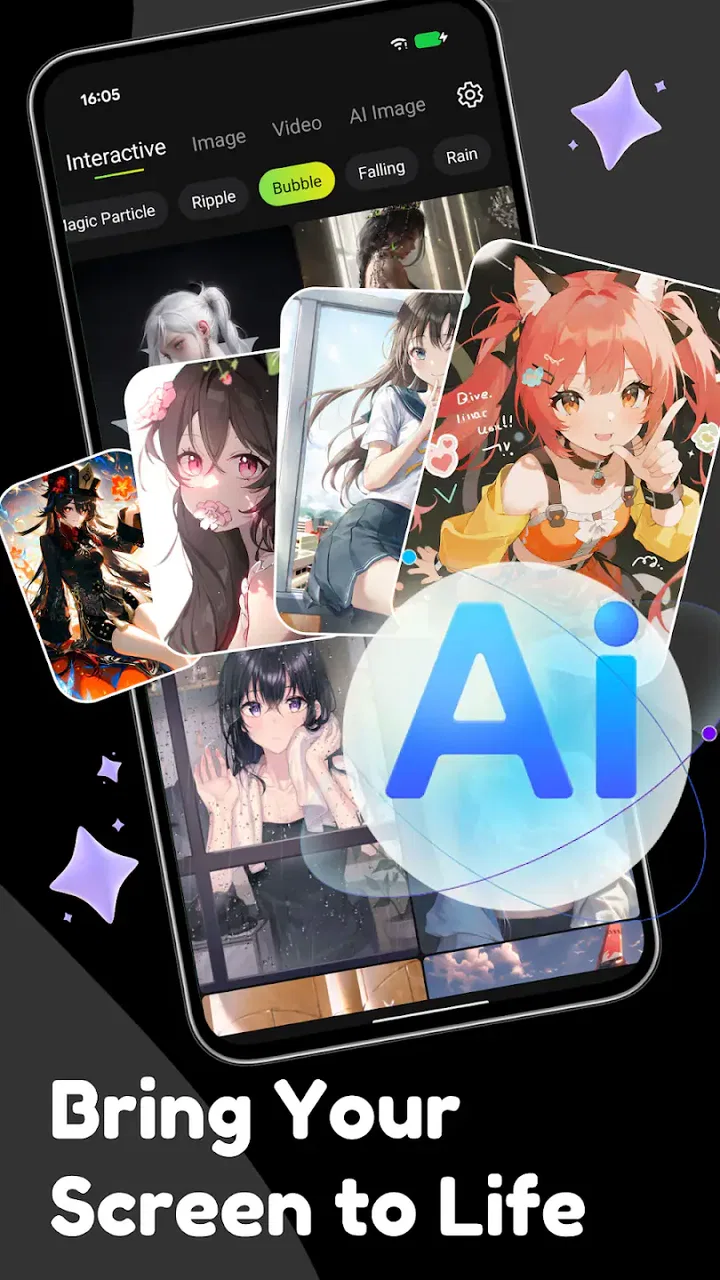
I approached HD Live Wallpaper Launcher as someone looking for a quicker way to refresh a phone’s appearance without spending an afternoon rebuilding the home screen. It is a free personalization app from BenAPPmar that brings together launcher functions, high-definition live wallpapers, and AI art tools in one place. That combination sounds broad, so my first impression was that the app would be most useful to people who want visual change and a simpler starting point rather than a highly technical customization project.
The important thing to understand before installing it is that this is not just a wallpaper gallery. The launcher element affects how you reach apps, while the wallpaper side changes the atmosphere of the device. The AI art angle adds a more creative route for making a background instead of choosing only from ready-made images. In practice, I found the experience easiest to appreciate when I treated those parts as separate choices: first make the phone comfortable to use, then choose a background that supports that layout.
What the app feels like when you begin
The app sits in the personalization category, and its store summary describes a fast launcher alongside live wallpapers and AI-created backgrounds. That makes it a good fit for a first-time user who wants one place to experiment. You do not need to begin with a complicated visual plan. I would start by deciding whether the immediate goal is a new home-screen arrangement, a moving background, or an original image. Trying to change everything at once can make it harder to tell which part of the setup you actually enjoy.
You May Also Like

 Blood Strike: 2.5 Anniversary
Blood Strike’s Loadouts Turn Every Drop Into a Tactical Gamble
A close look at Blood Strike’s custom loadouts: how fast access to signature weapons reshapes its battle royale rhythm, rewards preparation, and narrows the gap between fights.

 Pandora - Music & Podcasts
Pandora’s Music Is Easy to Start, but Harder to Recover
Pandora’s strength is its low-effort path from a seed to a station. Its weak spot is how much confidence it asks you to place in connection, setup, and quiet recovery.

 8 Ball Pool
 Is Built on Rivalries, Rematches, and Routine
A close look at the rivalries, rematches, shared routines, and unanswered safety questions that turn a quick pool match into a persistent mobile community.

 Samsung Music
’s Quiet Strength Is Playing What You Already Own
Its reach comes less from spectacle than from dependable access to a personal library. That simplicity is both the app’s strongest retention engine and its ceiling.

 AccuWeather: Weather Radar
AccuWeather Review: A Quick, Clear Forecast for Everyday Decisions
For everyday plans, the best forecast is the one you can understand quickly. AccuWeather makes rain timing, radar, and local conditions easy to act on, with a few trade-offs.

 Hill Climb Racing
Why Hill Climb Racing Still Turns Crashes Into One More Run
A tiny car, a bumpy hill and one more upgrade: Hill Climb Racing keeps resurfacing because its simple chaos makes every near-miss feel personal.
More From Our News Desk



Its audience is fairly clear. If you like changing your phone’s look with the seasons, matching it to a hobby, or giving an older device a different feel, this app offers a low-commitment way to try. It is free, and the age guidance is Teen, so it is positioned as a general personalization tool rather than a specialist design application. The app has attracted over fifty thousand installs and holds a 3.8 average from around sixty ratings, with a smaller set of written feedback. I read that as a sign of a modest but real user base, not as proof that every phone will behave identically.
That distinction matters because launchers interact with everyday habits. A wallpaper app can be opened, used, and forgotten, but a launcher becomes part of the route to messages, maps, settings, and other essentials. I would not switch the default home experience immediately on a work phone or a device you depend on for travel. I would first try the visual tools, see whether the screen remains easy to read, and only then decide whether the launcher side deserves a longer test.
The current release is version 2.0.1 and requires Android 8.0 or later. Those details make it accessible to a wide range of Android devices, including phones that are not running the newest system software. Still, compatibility is not the same as identical performance. Live backgrounds and generated artwork can feel different on a newer phone than on an older one, especially when the device already has several demanding apps open.
Install with a simple goal in mind
For a first session, I recommend choosing one small target: create a background you would genuinely keep for a day. That target is more useful than trying to explore every visual option immediately. A successful first result gives you a reference point for judging the app’s style, speed, and effect on your normal routine.
Before opening the app, it also helps to think about the home screen behind the image. A detailed background may look impressive by itself but make icons difficult to spot. A moving design may be attractive in a preview yet distracting when you are checking a notification quickly. I found that choosing the wallpaper based on the way I use the phone, rather than on the preview alone, produced a more comfortable result.
Once inside, take a moment to identify the difference between a ready-made live wallpaper and an AI art workflow. They solve different problems. A prepared live wallpaper is the faster choice when you want an immediate change. AI art is better when you have a particular mood, color family, subject, or abstract idea in mind. If you are unsure, begin with the ready-made route and use that experience to decide what you would want to create yourself.
Getting through the first setup
My preferred setup order is deliberately cautious. I would first look through the available visual choices, then test one background, and only afterward consider whether the launcher should become the main home experience. This order keeps the most disruptive decision until you know whether the app’s visual approach suits you.
When choosing a background, check the areas where your icons and widgets normally sit. A bright subject in the middle can compete with app labels, while a busy pattern near the top can make status information harder to read. This is a small detail that store previews rarely explain, but it makes a major difference after the novelty wears off. The best wallpaper is not always the most dramatic one; it is the one that leaves enough visual breathing room for the phone’s practical information.
For a live wallpaper, I would begin with a short trial during ordinary use rather than judging it while staring at the preview. Open the apps you normally use, return to the home screen, and see whether the movement feels calming or distracting. If you often unlock the phone for only a few seconds, a restrained visual may serve you better than a highly active one. This is also the point where you can notice whether the device feels less responsive, without making a full launcher change at the same time.
The launcher deserves its own test because it changes navigation, not just decoration. I would keep the first arrangement familiar: place the most-used apps where your thumb expects them, leave communication tools easy to reach, and avoid moving every icon simply for the sake of a new look. A launcher is successful when it reduces friction after the first day, not when the opening screen looks radically different for five minutes.
One useful habit is to take a mental snapshot of your current layout before experimenting. You do not need a complicated customization plan. Just remember where your essential apps live and what you normally do after unlocking. If the new arrangement slows you down, you will know that the problem is the layout rather than the wallpaper itself. Separating those variables makes the review process much fairer.
Reaching a meaningful first result
The first result I would aim for is a home screen that feels intentional but still familiar. Pick a background with enough empty space for icons, apply it, and use the phone normally for a while. If you choose AI art, describe an idea that supports the screen instead of competing with it: a soft landscape, a simple color field, or an abstract design with a calm center can work better than a crowded scene.
The non-obvious advantage of creating a background for the screen rather than for a gallery is that you can design around your actual layout. Think about where the clock, widgets, and favorite apps appear. A subject positioned away from those areas may produce a more usable result than a technically attractive image with important details hidden behind icons. I would make this the first creative rule for anyone experimenting with the AI feature.
After applying the result, lock and unlock the phone several times during normal tasks. This sounds basic, but it reveals whether the visual change remains pleasant when seen briefly. It also shows whether the launcher arrangement is helping or slowing you down. I would not judge the app solely from the first launch because personalization becomes meaningful only when it fits repeated actions.
If the first attempt feels wrong, change one thing at a time. Replace the wallpaper while keeping the layout, or keep the image and adjust the arrangement. This approach prevents the common mistake of abandoning the whole app after an overly busy background or an unfamiliar home-screen order. The app gives you several creative directions, so a poor first choice does not necessarily mean the tool itself is a poor match.
Where new users may get confused
The biggest potential confusion comes from the word “launcher.” Some people expect a complete productivity replacement, while others only want a wallpaper picker. Here, the launcher and visual tools belong to the same personalization experience, but they should not be treated as identical. If your only goal is a static background, there is no reason to reorganize your entire home screen. If you want faster access to apps, test the launcher separately and keep your visual experiments simple at first.
Another point of confusion is the difference between high-definition artwork and good usability. A sharper image is not automatically a better home-screen background. Fine detail can disappear behind icons, and strong contrast can make labels tiring to read. I would judge an image at the size and brightness you normally use, not only in a large preview. This is especially important with AI art, where an attractive concept can still produce an awkward composition for a phone screen.
Live movement can also change the feel of a device more than expected. A subtle animation may make the phone feel refreshed, while constant motion can become visual noise during quick checks. I would avoid choosing a live wallpaper solely because it looks impressive in a brief demonstration. Give it enough time to become part of your routine. If you find yourself waiting for the movement to settle or avoiding the home screen because it is busy, the effect is working against you.
Performance is another practical consideration. The app supports live wallpapers and AI art, so I would be realistic about the trade-off between visual richness and battery or responsiveness, even though the experience will depend on the device and the selected design. On an older Android phone, begin with one change and observe it during a normal day. If the phone feels less comfortable, a simpler background or a return to the familiar launcher may be the sensible choice.
There is also a difference between personalization and organization. A new background can make a phone feel new, but it will not automatically improve a crowded app drawer or a confusing collection of shortcuts. I found it more useful to pair the visual change with one small organizational decision, such as keeping only the most-used tools within easy reach. That creates a practical benefit without turning the setup into a long project.
Everyday scenarios where it makes sense
Imagine checking your phone before work and wanting a cleaner, less distracting screen. I would use the app to create or select a background with open space, keep the launcher layout close to the familiar arrangement, and avoid a highly animated design. The result is a visual reset without adding extra steps to the morning routine.
For a personal project, the AI art side can be more valuable. Someone planning a reading challenge, a trip, or a creative hobby could make a background around that theme and use it as a quiet reminder. The useful part is not simply having an unusual image; it is connecting the design to something already present in daily life. That gives the personalization a purpose beyond decoration.
It can also suit a shared household device where different people want a more welcoming appearance without learning advanced editing software. The free price lowers the barrier to trying it, while the launcher option gives more control to users who want to rearrange their starting point. I would still keep essential navigation familiar if several people use the phone, because a dramatic layout change can confuse someone who only needs to make a quick call or open a map.
How it compares with ordinary alternatives
The usual alternative is to use the phone’s built-in wallpaper settings. That route is often simpler and may be preferable if you want one dependable image with minimal experimentation. HD Live Wallpaper Launcher becomes more interesting when you want the wallpaper, live effect, launcher, and AI art idea in one personalization-focused app rather than switching between separate tools.
A dedicated launcher may offer deeper control over icon grids, gestures, folders, and other navigation details. If those controls are your main priority, a specialist launcher could be a better fit than this broader visual package. On the other hand, a dedicated wallpaper gallery may provide a more focused browsing experience if you already love your current launcher and only want new backgrounds. The strength here is convenience across several related tasks, not necessarily maximum depth in every one.
Compared with manually editing an image, the AI art route is appealing for people who have a visual idea but do not want to learn design software. The trade-off is control: a manually prepared image can be positioned and refined with exact precision, while generated artwork is better suited to exploration and iteration. I would choose this app when I want to discover a look quickly, and a separate editor when I need a background built to exact dimensions or branding requirements.
That comparison also explains who should skip it. I would not recommend making it the first choice for someone who dislikes live effects, wants a completely unchanged home screen, or needs an advanced launcher with carefully documented controls. It is also not ideal if the phone is already struggling with responsiveness and the main goal is to reduce visual load. In those cases, a simpler system setting or a lightweight static wallpaper is the more sensible option.
My practical verdict after using the main paths
What I like most is the way the app encourages a gradual approach to personalization. You can begin with a background, see how it fits, and then decide whether the launcher adds something useful. The AI art option gives the experience a more personal angle than simply selecting another image from a standard collection. I also appreciate that the free entry point makes experimentation less risky for someone who is curious but not ready to commit to a paid customization tool.
The limitations are tied to that broad design. Combining several personalization ideas can make the first session feel less focused than a single-purpose app. The launcher may require adjustment because it affects muscle memory, and live backgrounds are not automatically the best everyday choice. The most attractive result may need a little restraint: simpler movement, clearer icon space, and a layout that respects how you already use the phone.
My advice is to install it with a small, reversible plan. Start by finding or creating one background that remains readable behind your icons. Use it during ordinary tasks, then test the launcher only if you want a different navigation experience. If the phone continues to feel quick and the screen is easier to enjoy, keep refining the look. If the visual effects distract you or the layout slows you down, there is no reason to force the full package.
Overall, HD Live Wallpaper Launcher is best for Android users who want a friendly creative starting point rather than a deep technical customization suite. BenAPPmar has combined several ways to refresh a device, and the app’s strongest use is giving a first-time user a clear path from “my home screen feels dull” to a background that feels personal. I would recommend it to curious users who value variety and are willing to test changes in small steps, while users seeking maximum launcher control or the lightest possible setup should stay with a more specialized alternative.
FAQs for HD Live Wallpaper Launcher
01What features does the HD Live Wallpaper Launcher offer?
The HD Live Wallpaper Launcher provides a wide range of high-definition wallpapers and themes designed to enhance your device's appearance. It includes dynamic wallpapers, customizable themes, and widgets that can be tailored to your preferences. The app also supports daily updates, ensuring a fresh look with new content regularly.
02Is the HD Live Wallpaper Launcher compatible with all devices?
The HD Live Wallpaper Launcher is compatible with most Android devices running version 5.0 (Lollipop) or higher. However, due to varying hardware specifications, some features like live wallpapers may perform differently on older or less powerful devices. Always check the app requirements before downloading to ensure compatibility.
03Does using live wallpapers drain battery life significantly?
While live wallpapers can consume more battery than static ones due to their animation and dynamic nature, the HD Live Wallpaper Launcher is optimized to minimize battery usage. It offers settings to adjust the wallpaper's performance, allowing you to balance aesthetics with battery efficiency according to your needs.
04Are there in-app purchases in the HD Live Wallpaper Launcher?
Yes, the HD Live Wallpaper Launcher includes in-app purchases. While the app offers a variety of free wallpapers and themes, some premium content and features are available for purchase. These may include exclusive designs, ad-free experiences, and additional customization options, providing users with enhanced personalization.
05How user-friendly is the HD Live Wallpaper Launcher for beginners?
The HD Live Wallpaper Launcher is designed with user-friendliness in mind, featuring an intuitive interface that makes it easy for beginners to navigate. It includes step-by-step guides, helpful tips, and a simple setup process, ensuring that users of all experience levels can customize their devices effortlessly.
Pros
- Stunning 4K and HD wallpapers enhance home screens.
- Wide variety of categories for personalized themes.
- Easy navigation with user-friendly interface.
- Daily updates keep the content fresh and engaging.
- Low battery consumption despite high-quality visuals.
Cons
- Contains ads that can interrupt user experience.
- Limited customization options for widgets.
- Some wallpapers require in-app purchases.
- Occasional lag on older devices.
- No offline access for wallpapers.

HD Live Wallpaper Launcher
Gallery